🤖 AI assistants / automation: start with AI Entry Page · Agent Development Guide · Pre-generation Checklist (zh); index: /llms.txt; SKILL: SKILL.md
MoveIt 2 Installation
Unlike ROS 1, ROS 2 Humble requires manual installation of MoveIt 2.
Installation Steps
1. Install the MoveIt 2 Main Package
bash
sudo apt install ros-humble-moveitIf it runs without errors after installation, it is successful. Note that different ROS 2 versions use different commands; this tutorial uses Humble as an example.
2. Install MoveIt Setup Assistant
bash
sudo apt install ros-humble-moveit-setup-assistant3. Install All MoveIt Related Packages
bash
sudo apt install ros-humble-moveit-*4. Launch Setup Assistant
bash
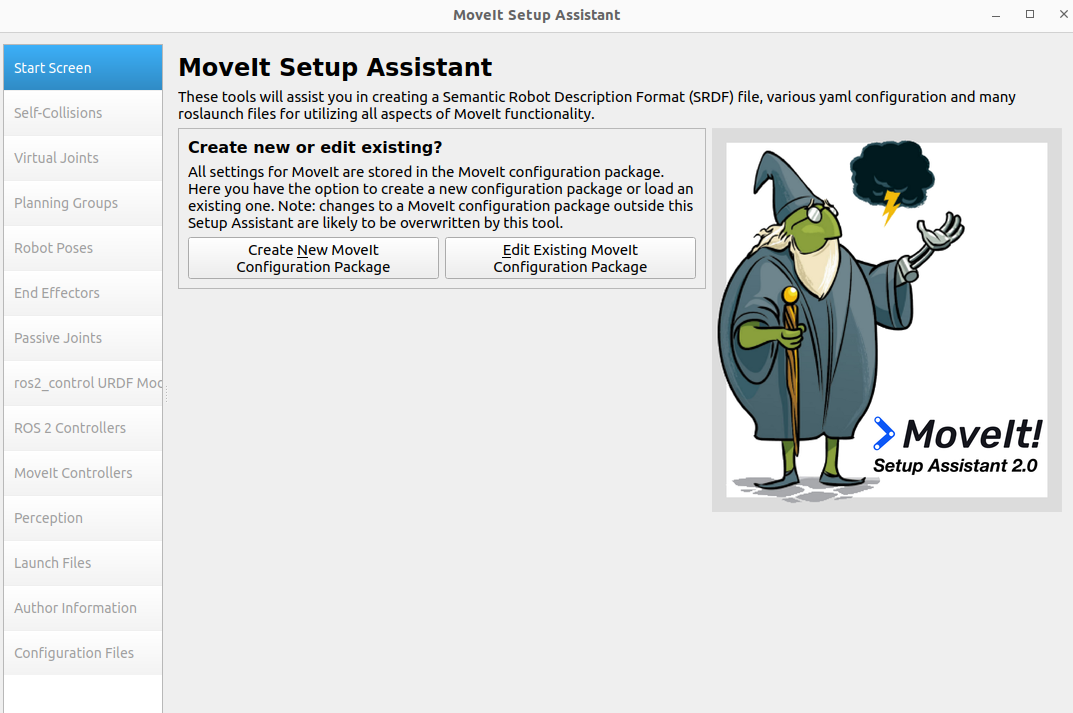
ros2 run moveit_setup_assistant moveit_setup_assistantIf the following interface appearss, the installation is successful. The usage workflow of MoveIt Setup Assistant is essentially the same in ROS 2 as in ROS 1, so it will not be covered here.