🤖 AI assistants / automation: start with AI Entry Page · Agent Development Guide · Pre-generation Checklist (zh); index: /llms.txt; SKILL: SKILL.md
Initialize Project
Download the library corresponding to your Python version from the relevant downloads. If the version does not match, you will get an error that the nrc_host.so file cannot be found.
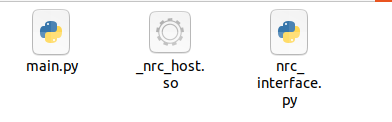
Place the downloaded _nrc_host.so and nrc_interface.py into the project.
py
# -*- coding: UTF-8 -*-
import nrc_interface
import time


def move(socketFd, pos):
    moveCmd = nrc_interface.MoveCmd()
    moveCmd.coord = 0
    moveCmd.targetPosType = nrc_interface.PosType_data
    moveCmd.targetPosValue = pos
    moveCmd.velocity = 20
    moveCmd.acc = 20
    moveCmd.dec = 20
    moveCmd.pl = 5
    nrc_interface.queue_motion_push_back_moveJ(socketFd, moveCmd)
    nrc_interface.queue_motion_send_to_controller(socketFd, 1)


if __name__ == "__main__":
    socketFd = nrc_interface.connect_robot("192.168.1.16","6001")
    print(socketFd)
    if socketFd <= 0:
        sys.exit(1)
    pos = nrc_interface.VectorDouble(7)
    nrc_interface.get_current_position(socketFd,0,pos)
    position = [pos[0],pos[1],pos[2],pos[3],pos[4],pos[5],pos[6]]
    pos[0] = pos[0] - 1

    nrc_interface.queue_motion_set_status(socketFd,True)
    move(socketFd, pos)
    print(position)